Marks live in notebooks. Report day is chaos.
Teachers enter scores once. Admin approves and publishes.
Attendance, marksheets, report cards, and parent notices in one workspace built for basic schools.

Marks live in notebooks. Report day is chaos.
Teachers enter scores once. Admin approves and publishes.
Parents call every morning for attendance.
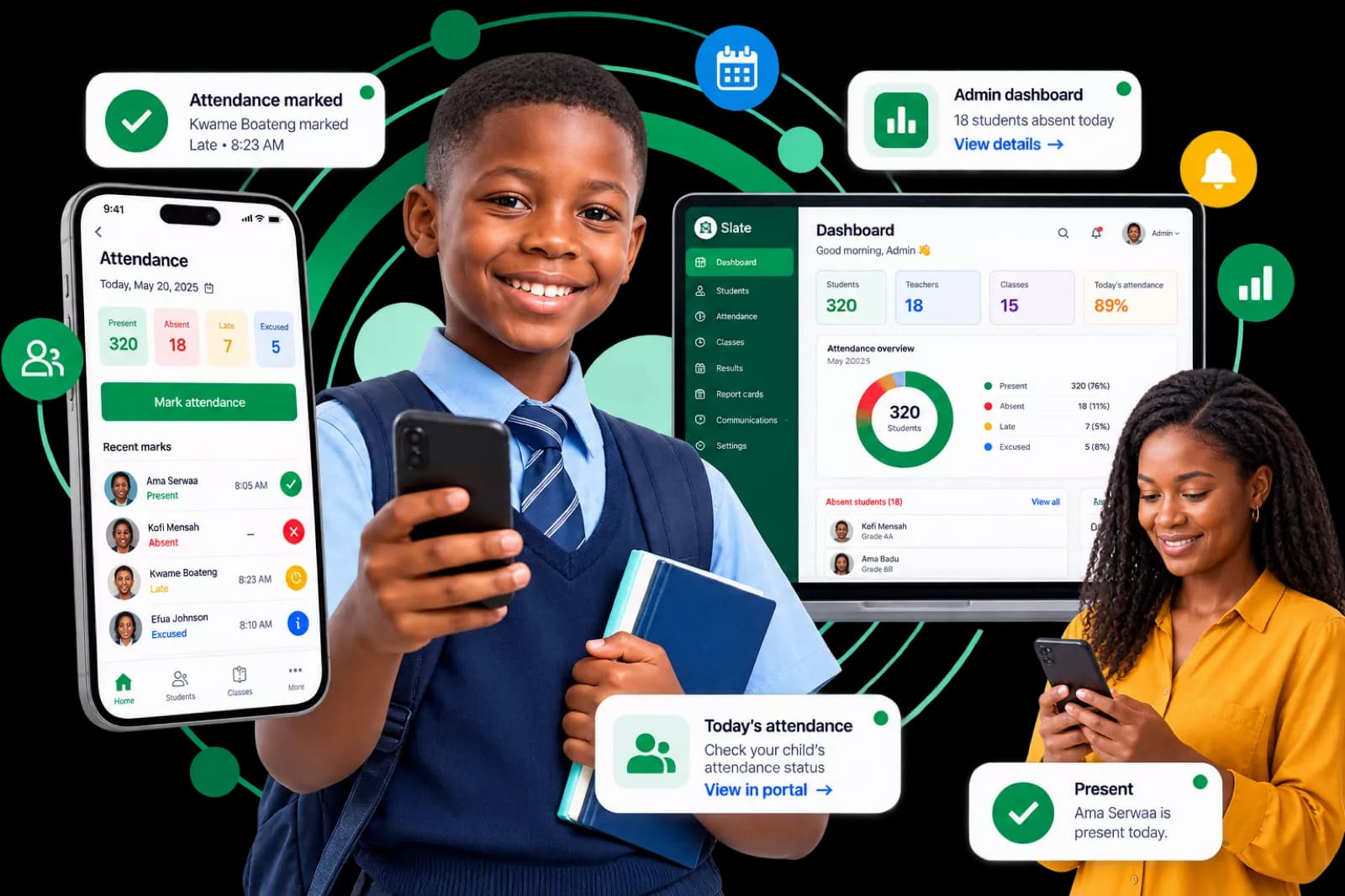
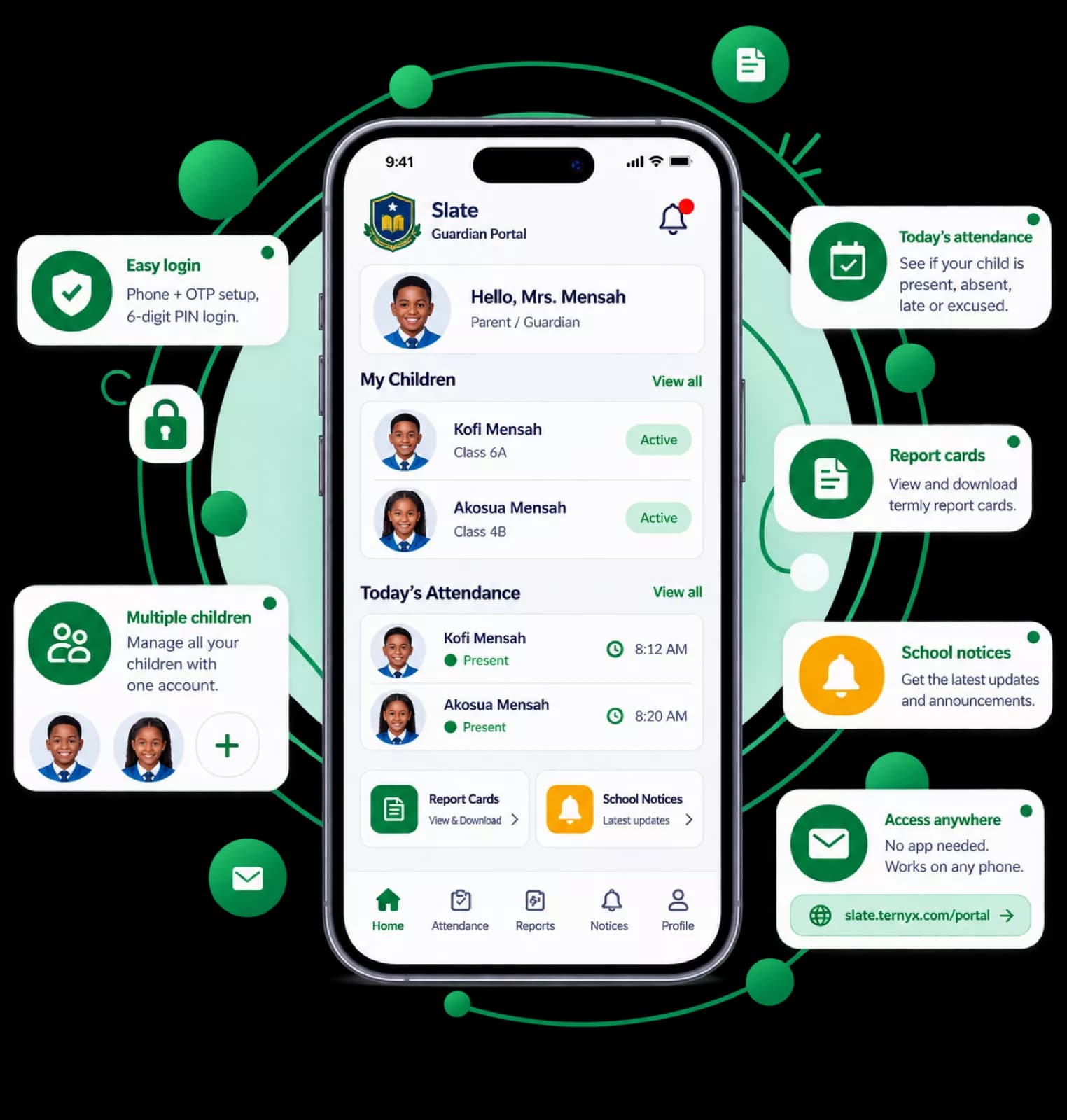
Guardians see today’s status in the portal.
Report cards sent as WhatsApp files.
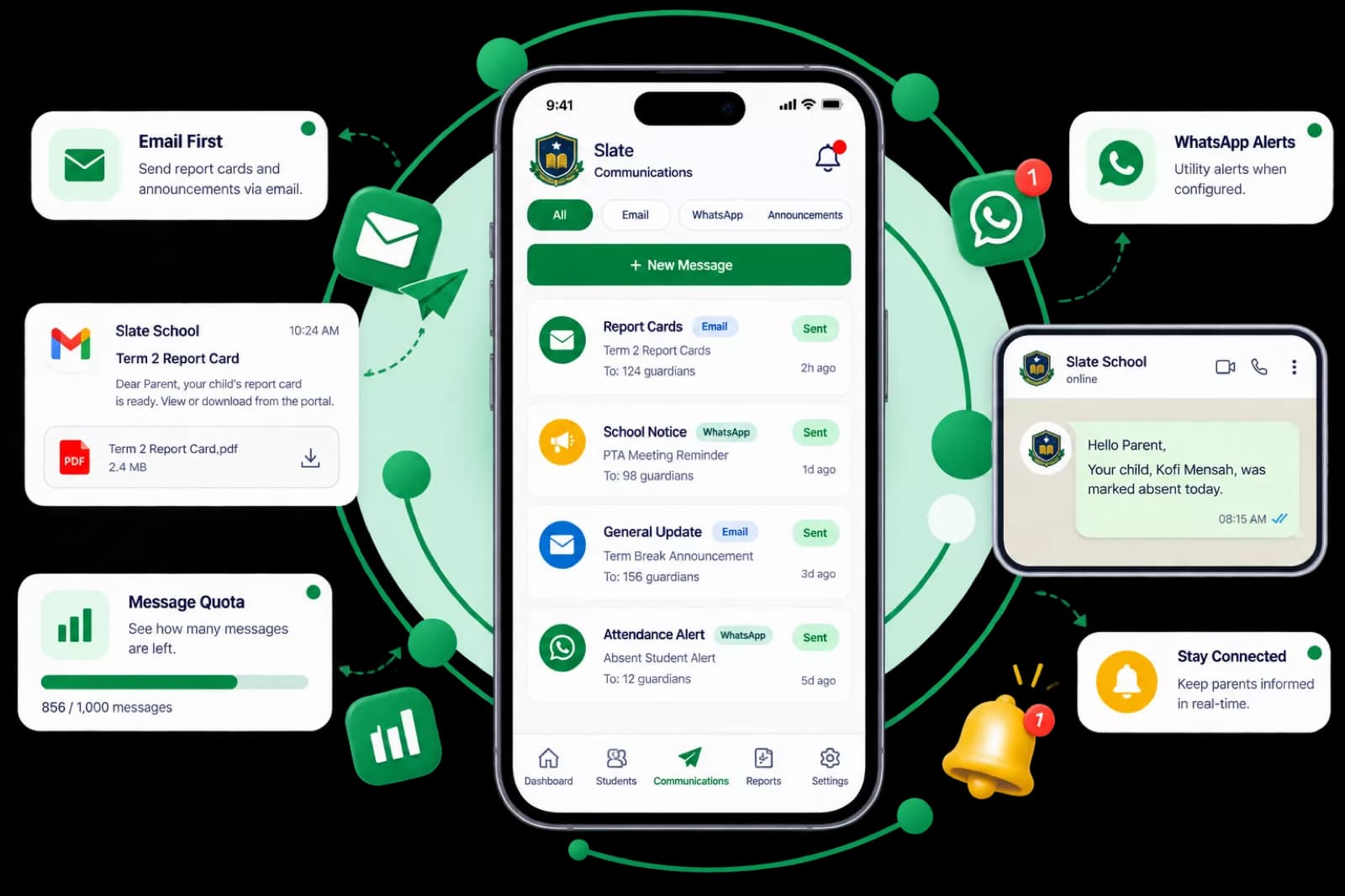
Published reports arrive by email, with a portal download.
Workflow
Three roles, one school. Admin sets up records, teachers record from their phone, and parents get updates by email and the portal.
School admin
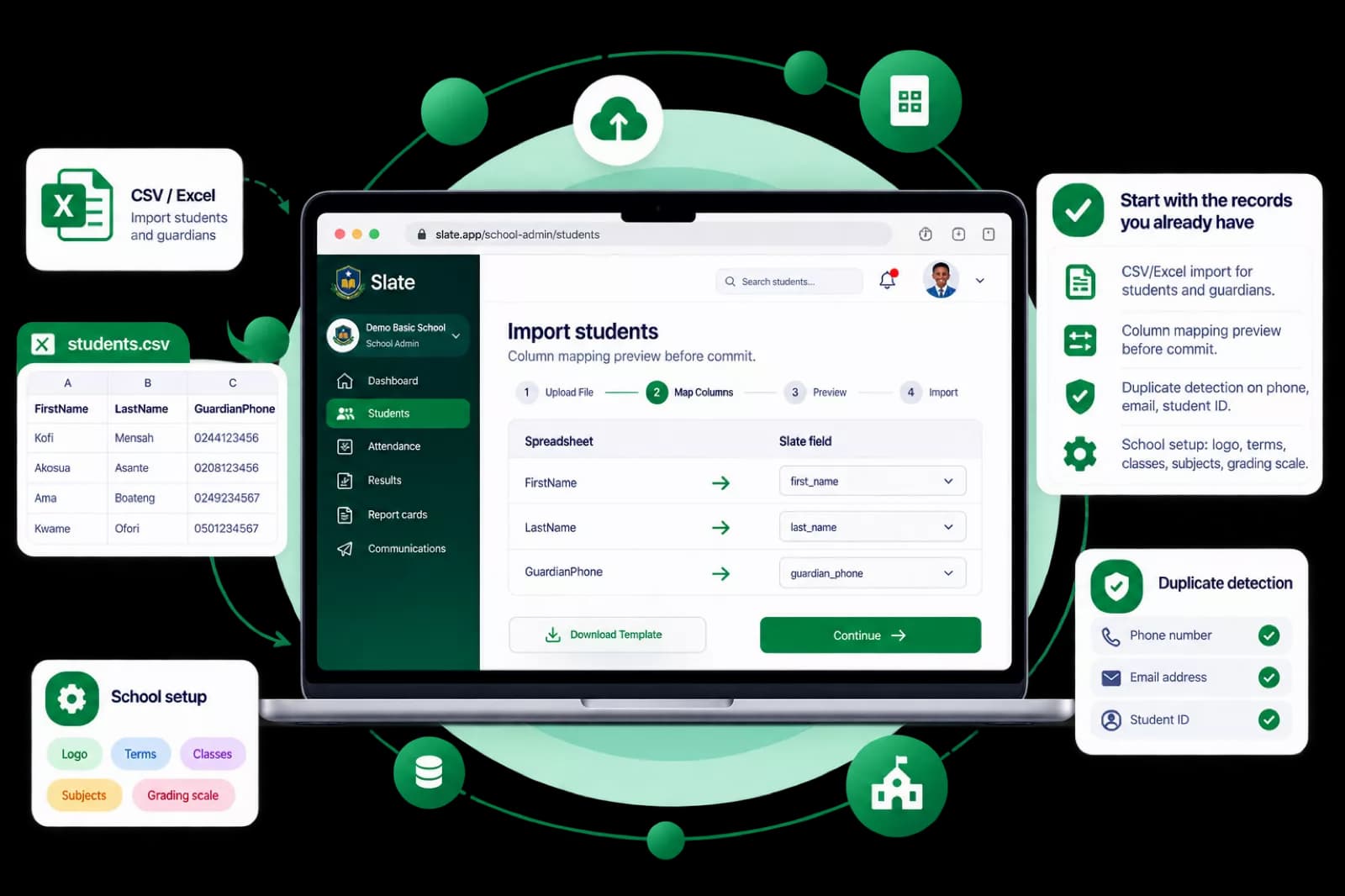
Add your school details, terms, and classes. Bring in students and guardians from the spreadsheets you already use.
Teachers
Teachers open Slate on their phone each day. Attendance and marks stay in one place until admin is ready to review.
School admin + guardians
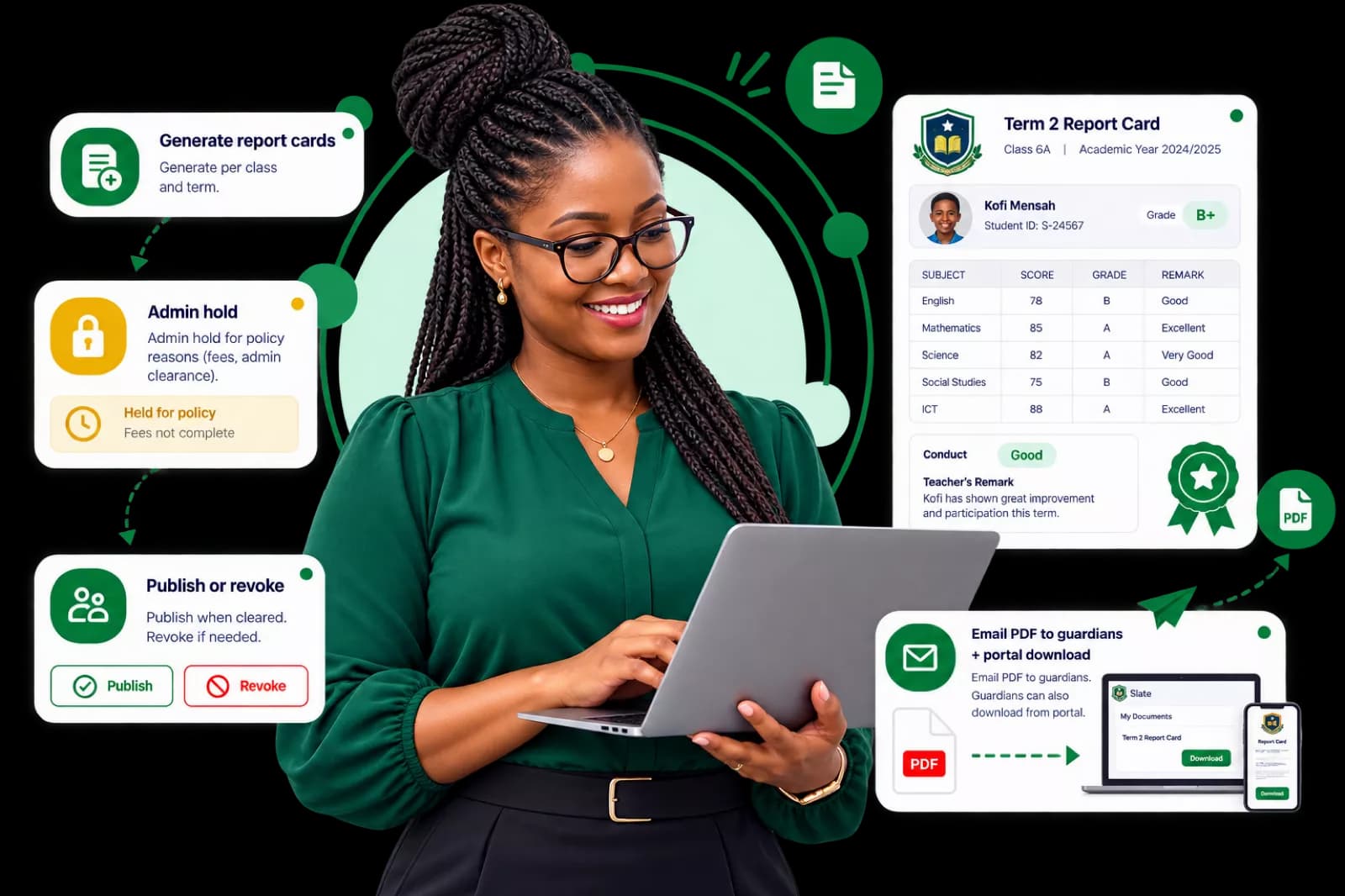
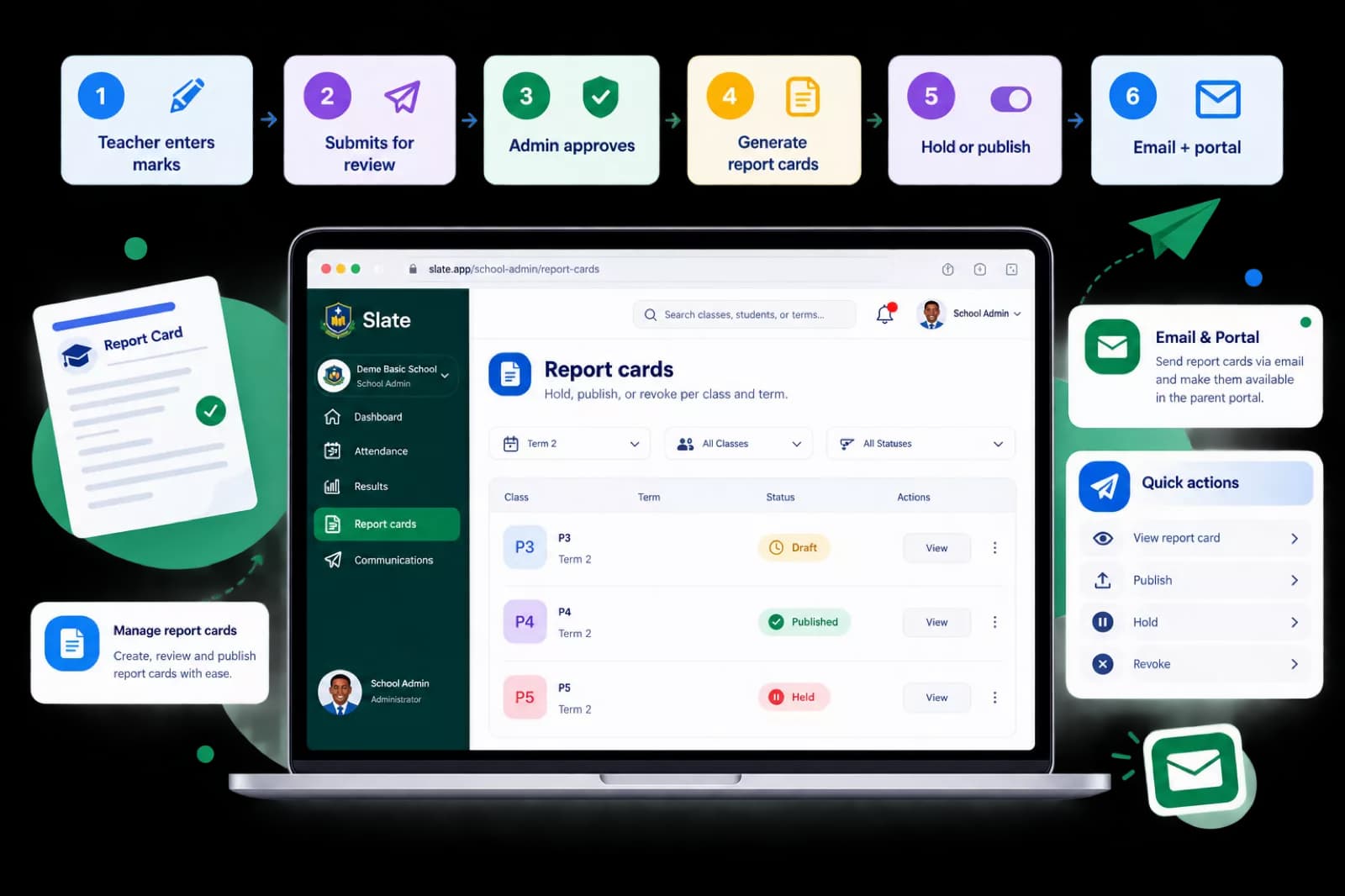
Admin approves results and publishes report cards. Guardians are notified by email and can open the parent portal on their phone.

Attendance
Marksheets & results

Report cards
Guardian portal
Communications
School Admin
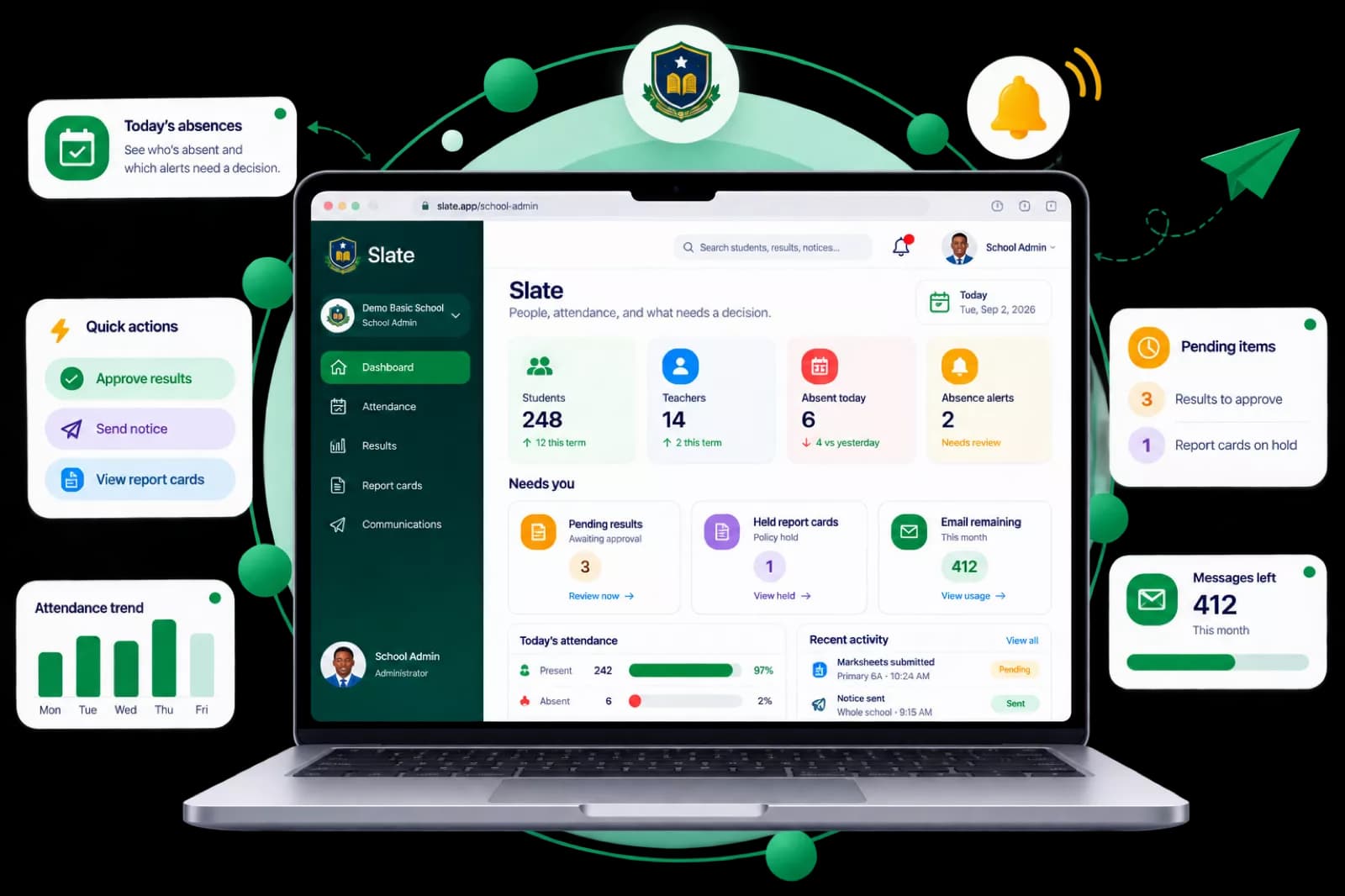
See today’s absences, approve results, and send notices without chasing paper.
Scores move from the classroom to parents without reprinting sheets or chasing signatures. One path: enter, review, generate, then hold or publish.
The difference
Most basic schools still juggle notebooks, WhatsApp, and phone calls. Slate keeps attendance, marks, and reports in one workspace, with a parent portal parents can open on their phone.
Without Slate
Scores copied from notebooks into WhatsApp. Easy to lose or mistype.
With Slate
One marksheet per class. Teachers submit; admin approves before anything goes out.
Without Slate
Term reports sent as chat attachments. Hard to find later.
With Slate
Published PDFs by email, with download in the parent portal.
Without Slate
Parents call every morning to ask who is present.
With Slate
Guardians see today’s attendance for each child in the portal.
Without Slate
No clear record of who entered or changed a grade.
With Slate
Submissions and approvals are tracked, with less dispute at report time.
Without Slate
Phone numbers and contacts scattered in different lists.
With Slate
Guardian records linked to students, all in one place for contact details.
Without Slate
Announcements buried in class WhatsApp groups.
With Slate
Notices in the parent portal alongside attendance and reports.
Slate is built for basic schools in Ghana and West Africa. We size every plan to your student count, terms, and how you talk to parents. Book a demo and we will walk you through a quote for your school.
Small basic schools in Ghana and West Africa that need attendance, academics, and report cards, not a full ERP.
No. The guardian portal is a website. Parents set up with their phone and a one-time code, then sign in with a 6-digit PIN.
Not in the current version. We don’t handle fee collection, pickup, canteen, or transport.
We quote each school after a short demo, based on student count and how you use attendance, report cards, and parent messages. There is no online checkout.
Import templates for students and guardians, with column mapping before anything is saved. We’ll help with migration on the demo.
Encrypted in transit and at rest. We work to Ghana’s Data Protection Act (Act 843). Grade changes and approvals leave an audit log.
No. Attendance and marksheets are built for a phone. Admin work is easier on a larger screen, but not required for daily recording.
Yes. An administrator can hold a report for policy reasons until the school clears it, then publish or revoke later.
Email and WhatsApp. We’ll walk through your terms, classes, and guardian setup on the demo. Not a generic slideshow.
Book a demo two ways: call us, or send the form and we'll email you back.